Find link prospects, send from your own mailboxes, let four agents answer replies, chase orders and fill forms, and track every dollar of every client's link budget. One tool instead of a spreadsheet per client.
Create your workspace See all featuresFree for 2 clients. No card. Sends from your mailboxes, never ours.


Live totals from every LinqDesk workspace, refreshed every ten minutes. No names, no client data.
outreach emails sent
replies read
links won
Built around how agencies actually win backlinks for local service clients: many clients, small budgets, a finite list of good targets in every town.
Every client gets an isolated workspace: pipeline, prospects, budget, won links. Nothing mixes, even at 100 clients.
Sends weekdays at 9 AM in your timezone from your mailboxes, follows up twice in-thread, checks inboxes every 5 minutes, and stops the second someone replies.
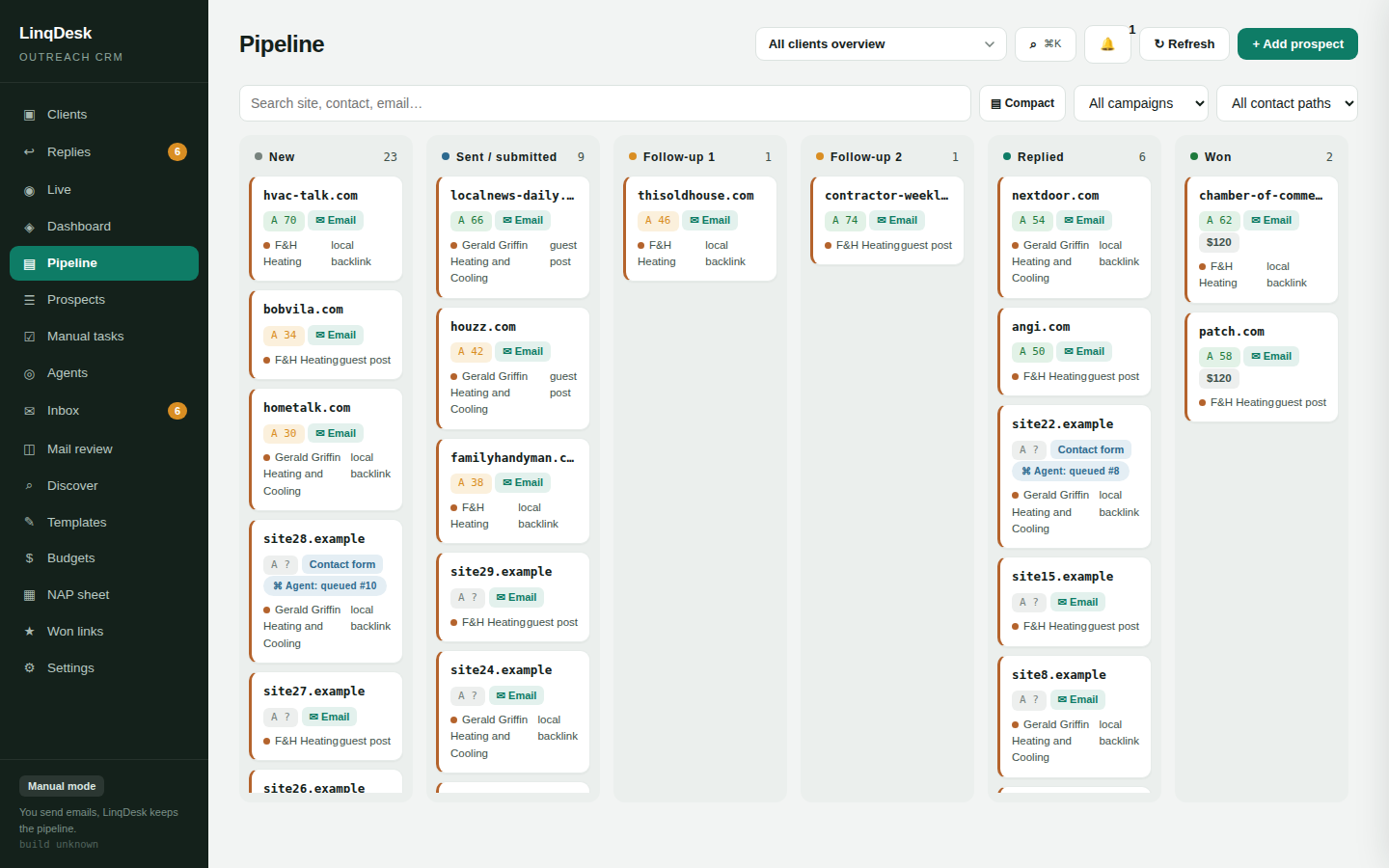
The agent visits every new prospect site and finds the real way in: a public email, a contact form, a membership sign-up or a platform listing. Email prospects go to the sending pipeline; the rest become manual tasks.
Sign-ups, contact forms and platform listings get their own To do, In progress, Submitted, Live flow with due dates, so nothing that needs a human falls through.
Every sent email and reply, readable per prospect inside the app, including outreach you sent straight from Gmail. Replies are classified, AI drafts the answer, and you are emailed when one arrives.
The Replies page lists every answer for every client, newest first, with who is waiting on you, which clients are getting answers and which websites respond, so you know where to push harder. New replies are announced wherever you are.
Paste the client's NAP tab from Google Sheets and the business profile that personalises every email updates itself nightly.
Enter a niche and city. LinqDesk searches live Google results for chambers, sponsors, write-for-us pages and vendors, scores them, and hides ones already in your pipeline.
Authority, spam score, referring domains, total backlinks, estimated organic traffic, ranking keyword count and the top 3 keywords each prospect ranks for.
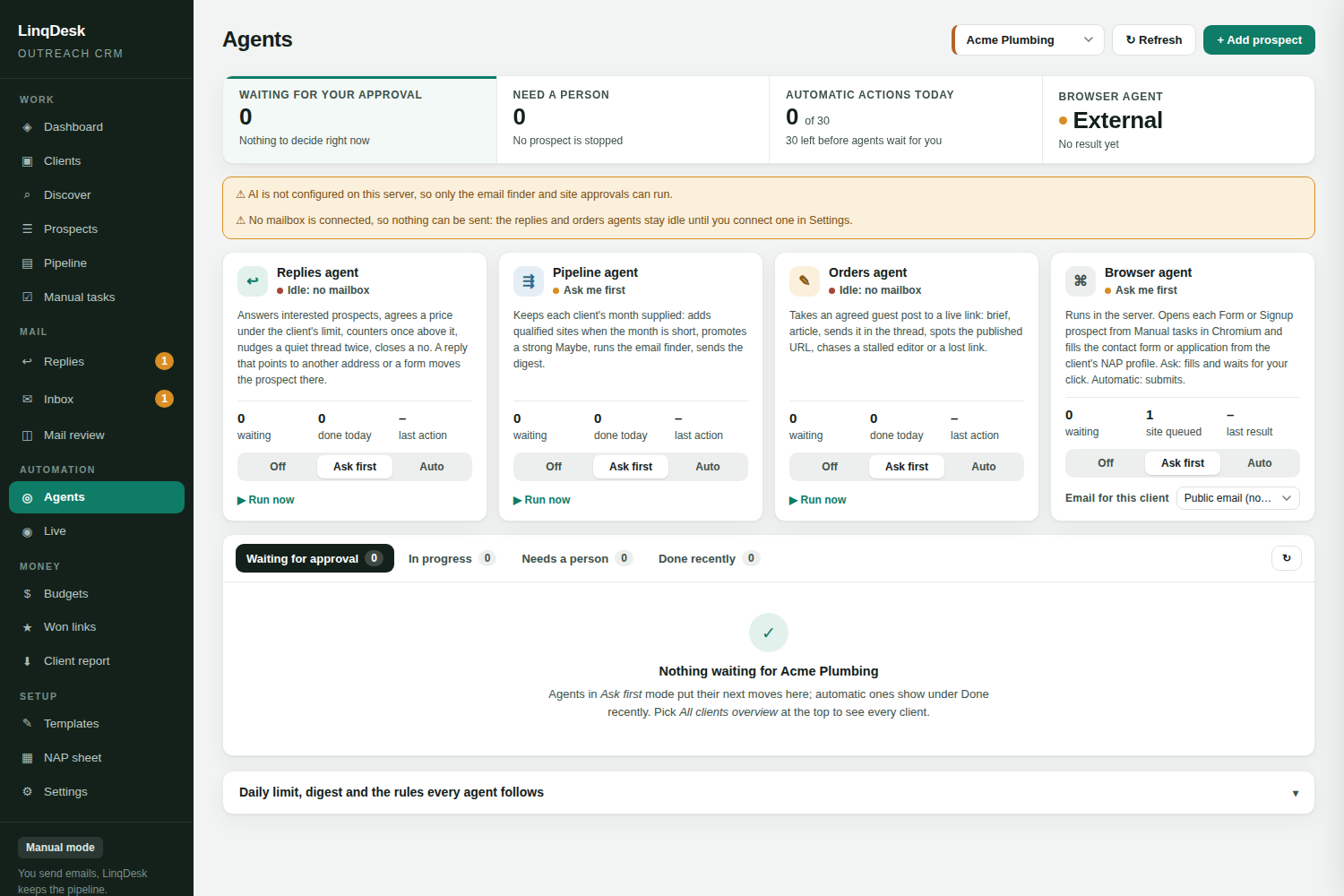
Each one runs Off, Ask me first, or Automatic per workspace. Every action is a row on the Agents page and a line on the prospect's timeline.
Answers interested prospects, agrees a price up to the client's Max cost per link, counters once above it, nudges a thread that went quiet, closes a no, and stops for a person on anything else: money over the limit, a contract, a bundle, anything unclear.
Keeps each client's month supplied. When the month is short of prospects it adds qualified discovered sites, promotes a Maybe whose researched way in is high-confidence and affordable, runs the email finder on prospects with no address, and emails one daily digest.
Takes an agreed guest post to a live link: writes the brief and the article, sends it in the thread, spots the published URL in the editor's reply, verifies the link on the page, asks after ten quiet days, and asks the publisher once about a lost or nofollow link.
Opens each Form or Signup prospect in Chromium, fills the contact form or application from the client's NAP profile, and either submits or reports READY with the fields it filled. In code, not just in the prompt, it never types a password, creates an account, enters card details or invents a figure.

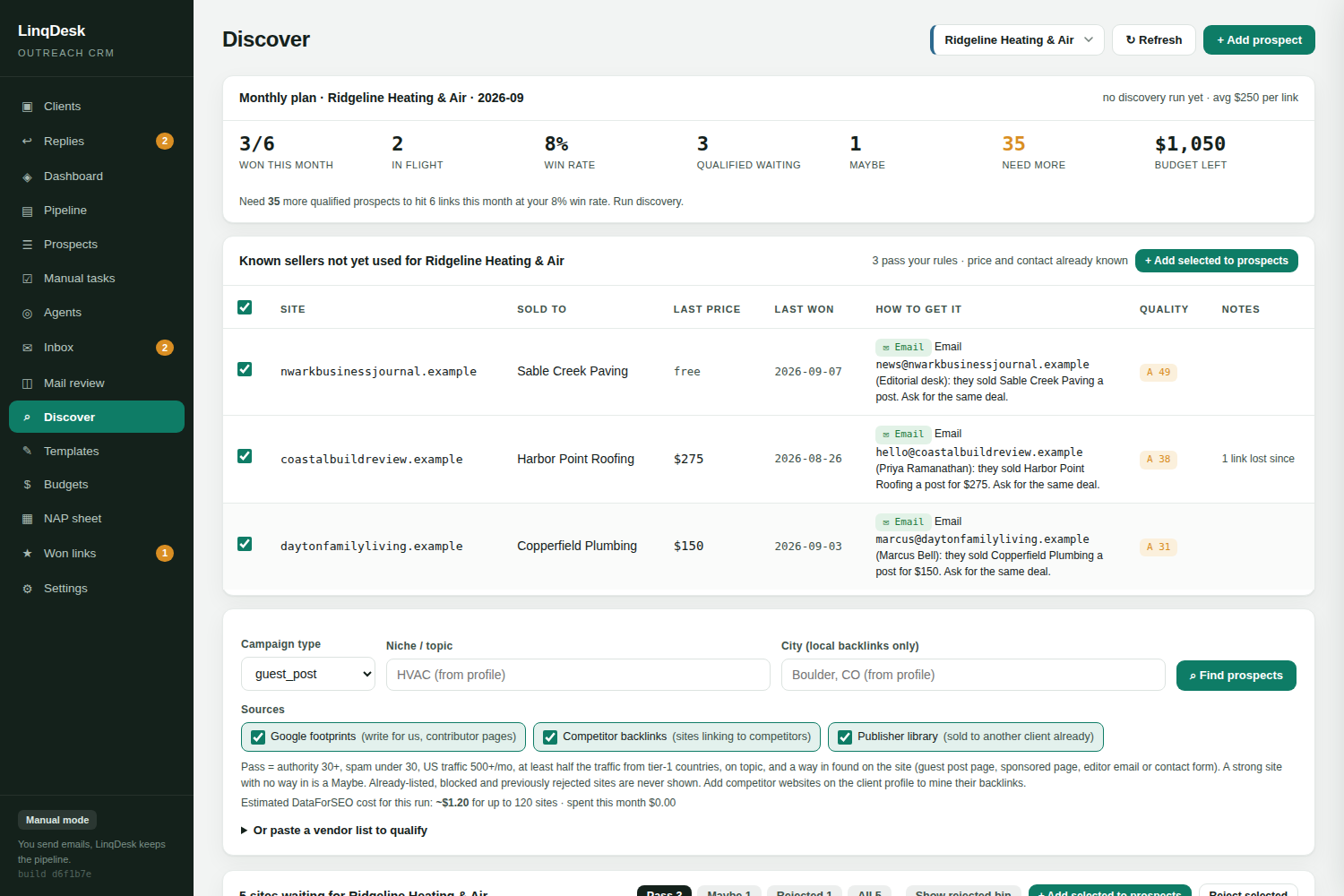
Discover runs four sources for a client and vets every site the way an agency vets one by hand.
Four sources. Live Google results for "write for us" footprints in the client's niche, sites that link to the client's competitors, the publisher library of every site that already sold another client a placement, and a pasted vendor sheet.
Real vetting. Authority, spam score, US monthly traffic, the share of traffic from the US, UK, Canada and Australia, top keywords, and whether the topic fits. The verdict is Pass, Maybe or Reject against your own authority and traffic floors, with the reasons written out.
The way in. Every site that is not rejected is opened to find the door: a write-for-us page, a sponsored-post page, an editor's email, a contact form. With AI on, a researcher reads up to three pages and writes the procedure as numbered steps. A strong site with no way in drops to Maybe.
A monthly plan. The same tab reads the client's target, links won so far, what is in flight and the real win rate, and says how many more qualified prospects the month needs. Every Monday the sweep tops up any client that is short.
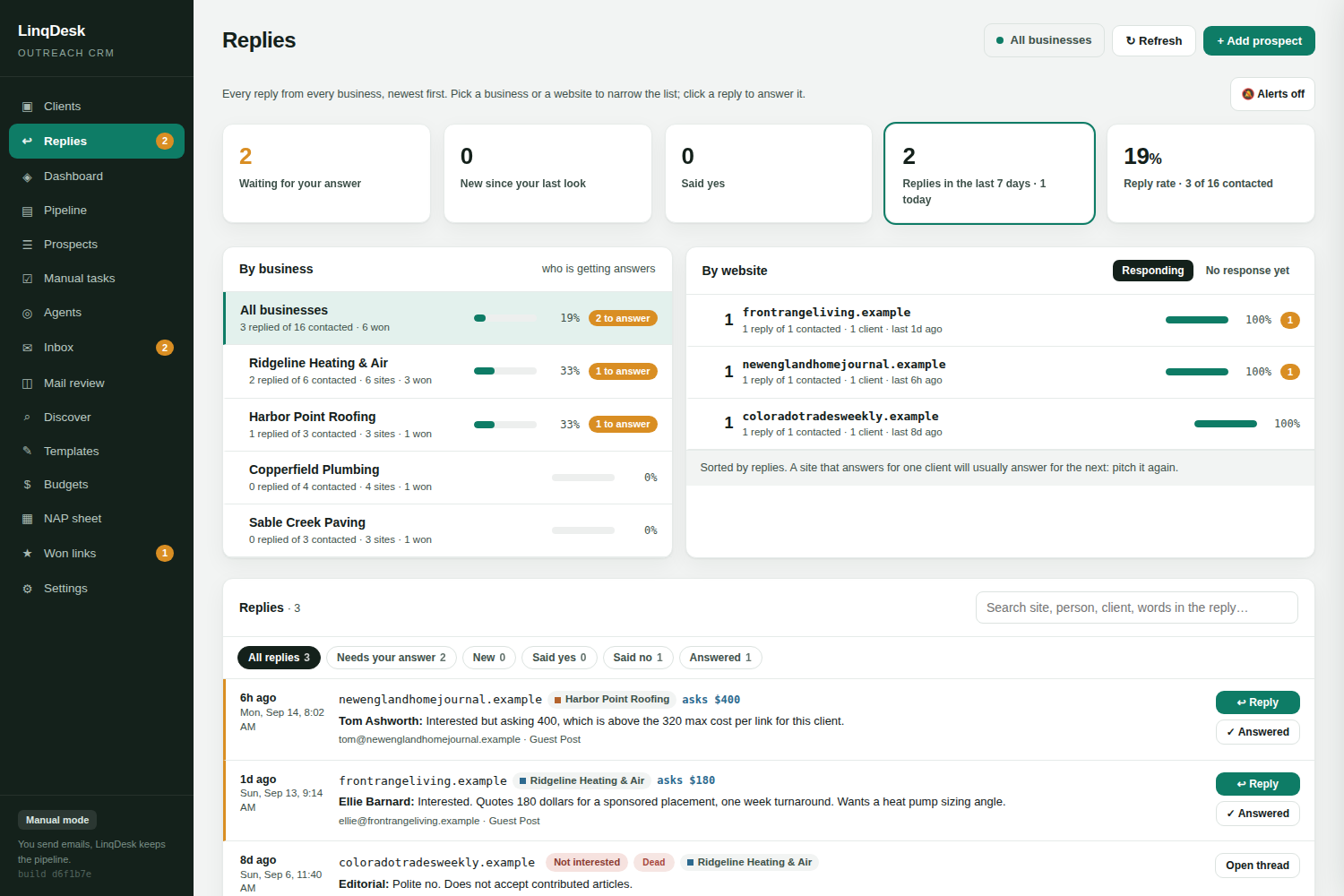
The Replies tab reads the whole workspace whichever client is selected, so nothing waits in a mailbox nobody checks.

Tiles show what is waiting on an answer, what arrived since your last look, who said yes and the overall reply rate. A by-business list shows which client is getting answers and how many are waiting. A by-website leaderboard shows the prospect sites that respond, with a No response yet tab for the ones that never do.
Replies are classified on arrival. Newsletters, notification robots, out-of-office autoresponders and bounce notices are recognised as machine mail and never counted. Only the prospect's own words, never the quoted original, decide the reply tag. A reply that names a price is read for it and lands on the prospect as the asking price, so Budgets can show quotes on the table against what is left to spend.
A reply that comes in while you are on another page is announced with a toast and a shaking nav entry. Alerts adds a chime and a desktop notification.
Each client gets its own environment: pipeline, prospects, budget, won links and NAP profile. Click Connect Gmail or add any SMTP mailbox, or skip it and run in manual mode.
Run Discover for the client's niche and city, or import your own list. Approve the Passes with one click; metrics, price, known contact and the researched way in come along.
Triage routes each prospect to email or Manual tasks. The engine sends and follows up from your mailboxes. The replies agent negotiates, the orders agent takes a yes to a live link, the browser agent fills forms.
Won links are re-checked weekly. Budgets update themselves. One click exports a white-label PDF of every live link with cost and authority.
| What matters to an agency | Campaign-first tools | LinqDesk |
|---|---|---|
| Structure of the tool | Campaigns | Clients |
| Per-client monthly link budget | Not built in | Yes, with rollover and asking prices |
| Prospects with no email address | Dropped | Routed to Manual tasks, filled by the browser agent |
| Replies | You answer every one | Replies agent answers, negotiates and nudges |
| Guest post orders | A spreadsheet | Agreed, writing, sent, published, paid |
| Checks links stay live | Rarely | Weekly, as a real browser |
| White-label client report | Add-on or manual | One click |
| Typical starting price | $99 to $500+/mo | Free, then $49/mo |
Start free with 2 clients. Upgrade when the roster grows.
2 client environments, manual mode, discovery, metrics, budgets, reports.
5 client environments and everything in Free.
25 clients, full sending automation, all four agents, team logins.
Unlimited clients, priority support.
No. A workspace with no mailbox runs in manual mode: LinqDesk writes every email, you send it from your own mail app with Copy and mark sent, and you paste replies in with Log their reply. Everything else, from discovery to budgets to link monitoring, works the same. A connected mailbox adds automatic sending and automatic reply reading.
Never. Outreach goes from the Gmail or SMTP mailboxes you connect, at a daily quota per mailbox spread across your sending window, with follow-ups sent before new first emails. Your domain reputation stays yours.
Every prospect carries a contact path. An hourly triage agent visits each new site and routes it: public email goes to the email pipeline; a contact form, membership application or claimed listing lands in Manual tasks, where the browser agent can fill the form from the client's NAP profile.
A weekly monitor fetches each placement page as an ordinary browser and looks for a real link to the client's domain. A 404 or a redirect to the publisher's home page is Lost on the first check, an unreachable page has to fail three checks in a row, and a link that quietly turned nofollow is emailed to you like a loss.
Yes. Create a workspace and run 2 client environments free with no card. Starter is $49 a month for 5 clients, Agency is $99 for 25 clients with full sending automation, and Scale is $199 for unlimited clients.
Yes. Team members sign in with their own email and password and can work every client. Only the workspace owner can change mailboxes, automation, billing and API keys.
Create your workspace, connect a mailbox, add your first client. Five minutes.
Start free